

Content Series
Content series are themed groupings of related LinkedIn posts. They let you organize content around recurring topics — "Leadership Insights", "Weekly Tips", "Product Updates", whatever fits your strategy — and they give the AI continuity context so new ideas build on what you've already published rather than starting from scratch each time.
- Themed groupings for related posts
- Color-coded on the content calendar
- Each series can have its own goals, audiences, and description
- Selected posts within a series guide future AI generation
- Deleting a series keeps the posts — they just become unassigned
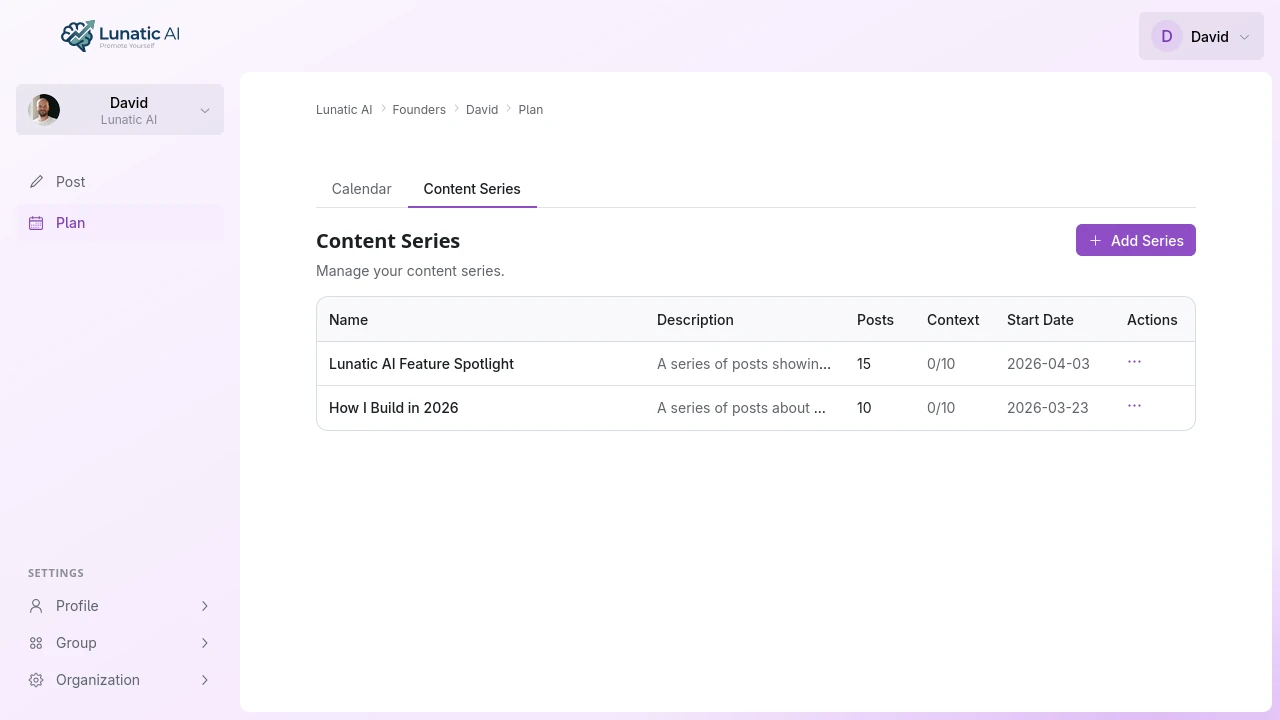 Content series list showing series names, post counts, and colors
How do I create a content series?
Open the Plan page and switch to the Content Series tab. Click Add Series and fill in:
- Name — something descriptive enough that you'll remember the theme at a glance
- Description — a text explaining what this series covers and the angle you're going for
- Goals — what you want content in this series to achieve (overrides your profile defaults)
- Audiences — who this series is aimed at (also overrides defaults)
- Color — picks how the series appears on the calendar (8 colors available)
The color is assigned randomly when you create a series, but you can change it anytime from the series detail view.
How do series improve content generation?
When you generate a content plan and select a series, the AI receives three extra pieces of context alongside your voice profile and goals:
- Series name and description — so the AI understands the theme
- Recent posts in the series — so it knows what's already been covered
- Series-specific goals and audiences — so the tone and angle match the series, not just your profile defaults
The result is ideas that fit within a coherent thread rather than random standalone topics. If your "Weekly Tips" series already has posts about time management and delegation, the AI won't repeat those — it'll generate complementary ideas that extend the series.
What are context posts?
Context posts are posts within a series that get sent to the AI when generating new content for that series. They're the reference material the AI uses to understand what you've already said and how you've said it.
You can manage context in two ways:
- Manual selection — mark up to 10 posts as context posts in the series detail view. Use this when specific posts represent the best examples of your series theme.
- Automatic selection — if you haven't manually selected any context posts, the system auto-selects the 10 most recent posts in the series. This works well for series where recency matters more than curation.
Manual selections take priority. If you have selected context posts manually, the auto-selection doesn't kick in.
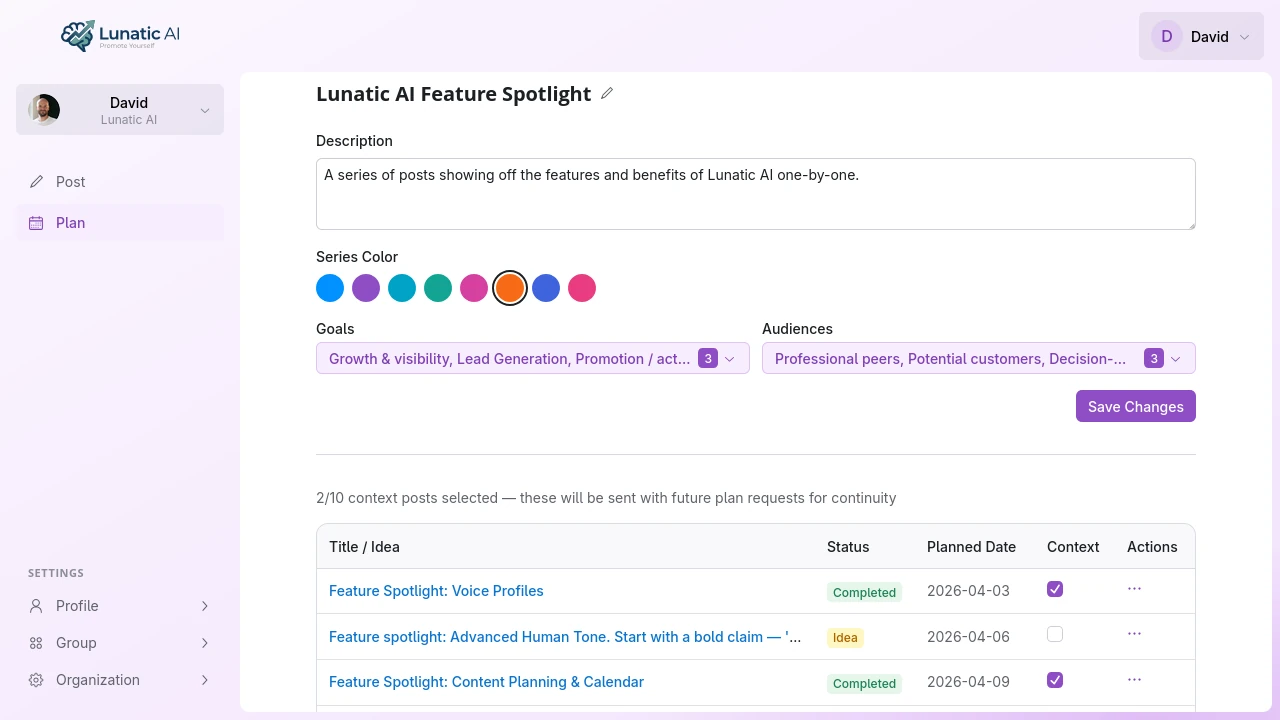 Series detail view with description, goals, audiences, and context posts
How do I manage posts in a series?
Posts can be assigned to a series at several points:
- During plan generation — select a series in the planning dialog, and all generated ideas are assigned to it
- In the post editor — use the series dropdown to assign or reassign a post
- Move between series — changing a post's series clears its context post flag (since context is series-specific)
- Remove from series — set the series dropdown to "None" to unassign a post
Deleting a series doesn't delete its posts. They become unassigned and stay on the calendar at their planned dates.
Can I set goals and audiences per series?
Yes. Each series has its own goal and audience selections that override your profile defaults when you generate plans for that series.
This is useful when different content threads serve different purposes. A "Thought Leadership" series might target authority and decision-makers, while a "Team Culture" series might aim for engagement with talent and professional peers. The AI adjusts its output accordingly.
Color-coding makes your content mix visible at a glance. When every series has a distinct color, you can scan the calendar and immediately see whether you're balancing topics or leaning too heavily into one theme.