

LinkedIn Profile Sync
LinkedIn Profile Sync imports your public LinkedIn profile data into Lunatic AI. It pulls your headline, about section, skills, and profile picture to enrich your voice profile and personalize the app experience.
- Imports your LinkedIn headline, about section, skills, and profile avatar
- Enriches voice generation with real data about your background
- Re-sync after updating your LinkedIn profile to pull fresh data
- Triggers an orange notification reminding you to regenerate your voice
- Completely optional — the onboarding questionnaire alone is enough to start
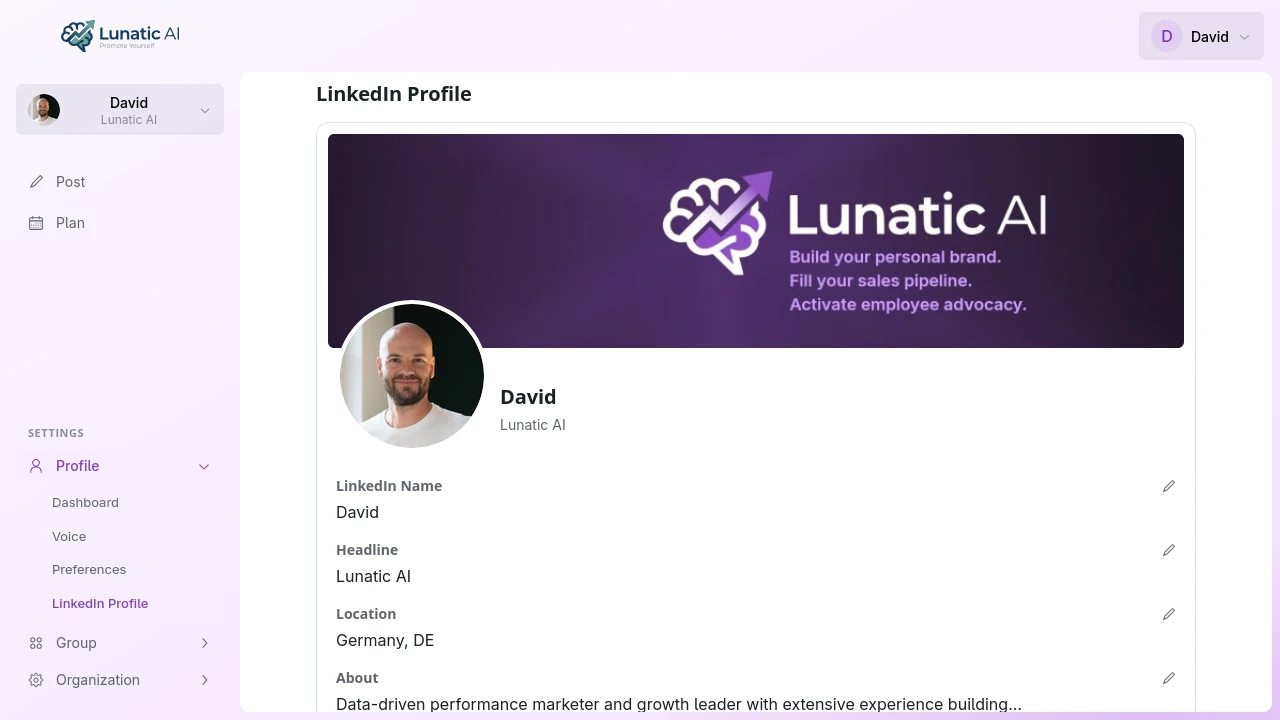 LinkedIn profile card showing synced headline, about section, and avatar
What data is imported?
The sync imports four fields from your public LinkedIn profile:
- Name — your name as it is visible on your public LinkedIn profile
- Headline — your professional tagline (e.g., "VP Engineering at Acme Corp")
- About section — your full LinkedIn summary
- Profile avatar — your LinkedIn photo, displayed in the context switcher and LinkedIn post preview
No private data is accessed. The sync does not touch your connections, messages, contact information, or any content behind LinkedIn's privacy settings.
How do I sync my LinkedIn profile?
Open the LinkedIn Profile tab
Navigate to your profile page and select the LinkedIn Profile tab. You'll see a URL input field at the bottom of the page.
Enter your LinkedIn URL
Paste your public LinkedIn profile URL. It looks something like linkedin.com/in/yourname. The input accepts the full URL or the shortened version.
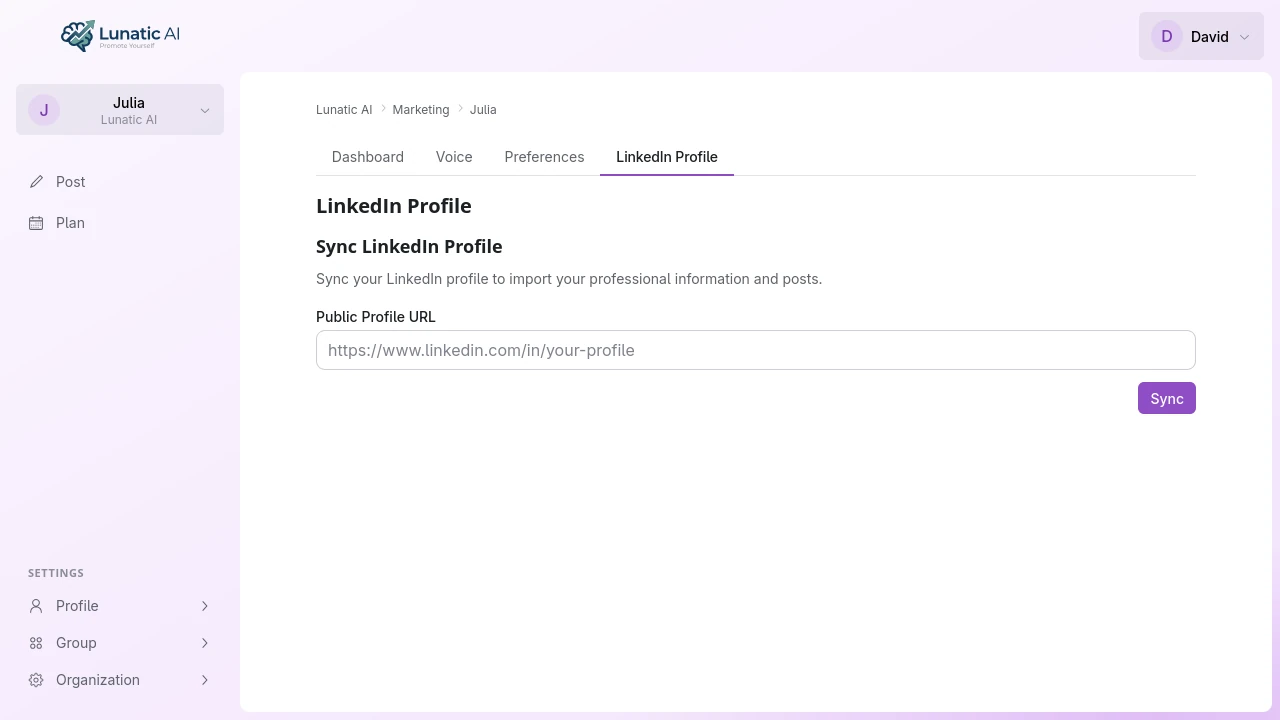 LinkedIn URL input field with sync button
Click Sync Profile
Hit the sync button. A status indicator shows the sync progress. The process typically takes a few seconds, depending on how much data your profile has.
Review your synced data
Once complete, your LinkedIn profile card appears at the top of the tab showing your imported headline, about section, and avatar. Skills appear as a list below.
How does synced data improve my voice?
Your LinkedIn headline and about section are sent to the voice generation AI alongside your questionnaire answers. They give the AI concrete details about your role, expertise, and how you describe yourself professionally.
Synced LinkedIn posts (imported separately — see Synced Posts) provide actual writing samples. Posts show the AI how you structure sentences, what vocabulary you reach for, and how you build arguments.
Using both questionnaire answers and LinkedIn data together produces the best results. The questionnaire captures what you want to sound like. LinkedIn data shows how you actually write. The combination gives the AI a complete picture.
When should I re-sync?
A few situations where re-syncing makes sense:
- After updating your headline or about section. The sync pulls fresh data each time, so changes on LinkedIn are reflected in Lunatic AI.
- After publishing new content on LinkedIn. New posts give the AI more writing samples to learn from.
- After a role or career change. Your new title and updated summary help the AI understand your current professional identity.
There's no automatic schedule. Sync whenever your LinkedIn profile has meaningful changes you want the AI to know about.
What is the voice regeneration notification?
After syncing new LinkedIn data, an orange dot appears on the Voice tab and in the sidebar navigation. This notification means your voice profile was generated from older data and could be improved with the new information you just synced.
You have two options:
- Regenerate your voice from the Voice tab. The AI builds a fresh voice profile using your updated LinkedIn data plus your questionnaire answers. The notification clears automatically once the new voice is generated.
- Dismiss the notification by clicking the X on the banner. The dot disappears until your next LinkedIn sync.
Regeneration creates a new version in your voice history. Your previous voice profile is preserved — nothing is overwritten.
LinkedIn sync is optional. The onboarding questionnaire alone is enough to generate a voice profile and start creating posts. LinkedIn data makes the voice richer and more accurate, but you can add it whenever you're ready.