

Roles & Permissions
Lunatic AI has three roles — Owner, Admin, and Member — that control what actions users can perform within an organization. Every plan supports unlimited team members at no extra cost. The member limit on your plan refers to profiles (LinkedIn personas), not people.
- Three roles: Owner, Admin, Member
- Team members are free on all plans, including Free
- Owners control billing, org deletion, and ownership transfer
- Admins manage groups, profiles, and member invitations
- Members create and edit content but can't change org settings
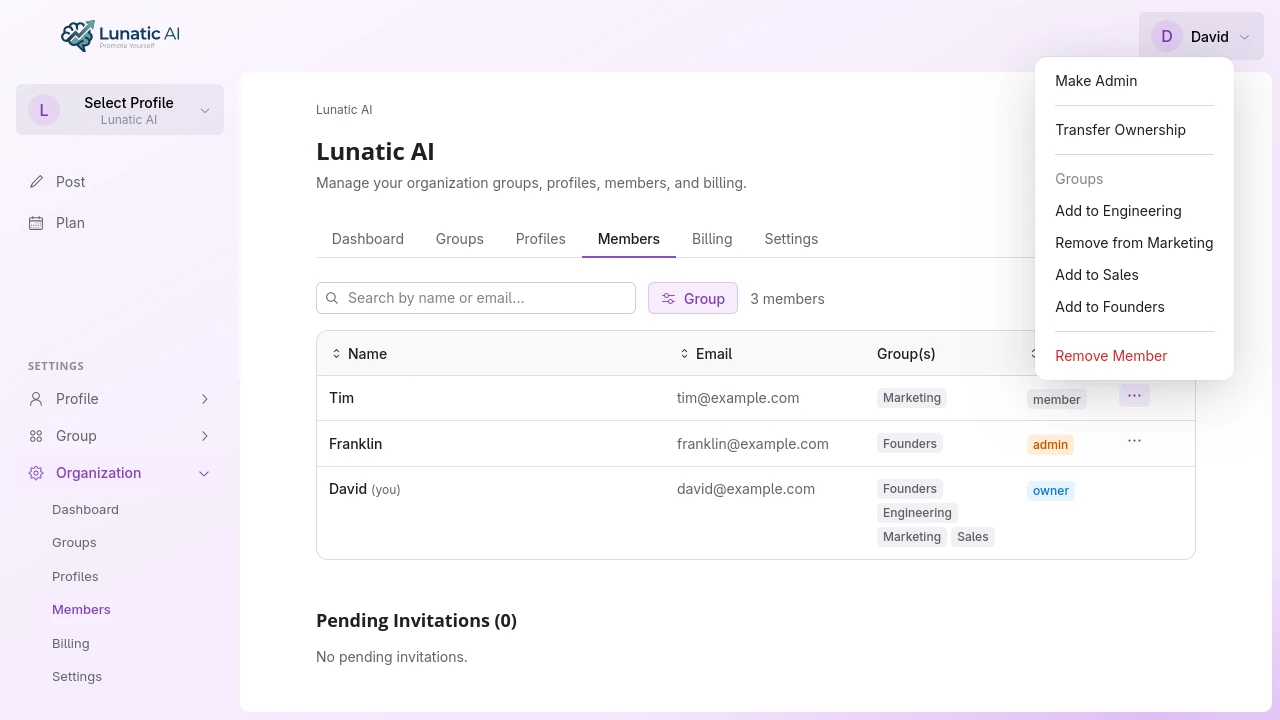 Organization members table showing roles and actions
What can each role do?
The key difference between Owner and Admin is destructive actions. Only the owner can delete the organization or transfer ownership. Admins handle day-to-day management — inviting members, creating groups, setting up profiles — while members focus on content creation.
How do I invite team members?
From the organization's Members tab, click Invite Member. Fill in:
- Email address — the person you're inviting
- Role — Owner, Admin, or Member
- Groups — Which groups (and corresponding profiles) they'll have access to
The invitation is sent via email. When the recipient accepts, they join the organization with the role and group assignments you selected. Pending invitations appear in the Members tab until they're accepted or cancelled.
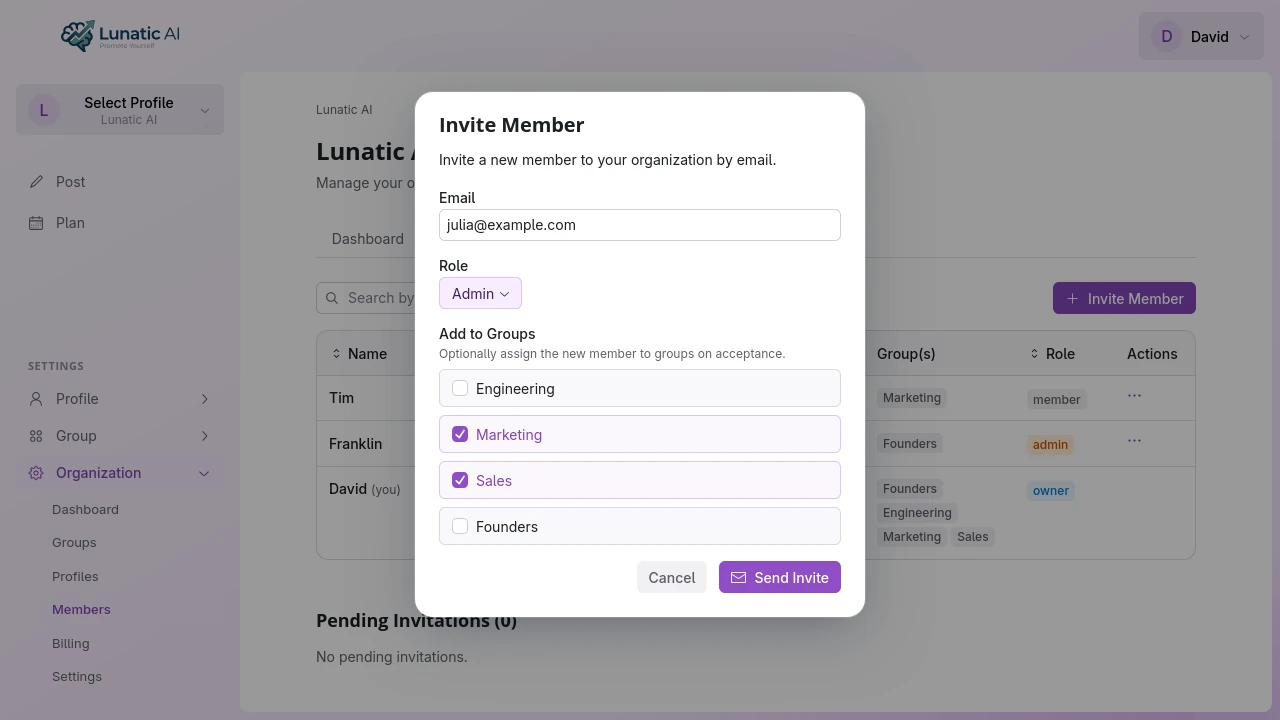 Invite member dialog with role selection and group checkboxes
Can I change someone's role?
Yes. Owners can change any member's role. Admins can change roles for members but cannot promote someone to Owner — only the current owner can do that via ownership transfer.
Role changes take effect immediately. If you downgrade an admin to member, they'll lose access to org settings, billing, and member management.
What is the sole owner protection?
An organization must always have at least one owner. This means:
- If you're the only owner, you can't leave the organization. Transfer ownership first.
- If you're the only owner, you can't delete your Lunatic AI account. Transfer ownership or delete the organization first.
- When transferring ownership, the original owner becomes an admin (not removed).
The app enforces these rules and tells you exactly what's blocking the action if you run into them. It'll list which organizations need ownership transferred before you can proceed.
Inviting team members is free on all plans, including Free. The profile limit on your plan controls how many LinkedIn personas you can create, not how many people can collaborate in the organization.
Collaborate with your team
Invite unlimited members on any plan. Profile limits apply to LinkedIn personas, not team size.
See Plans